
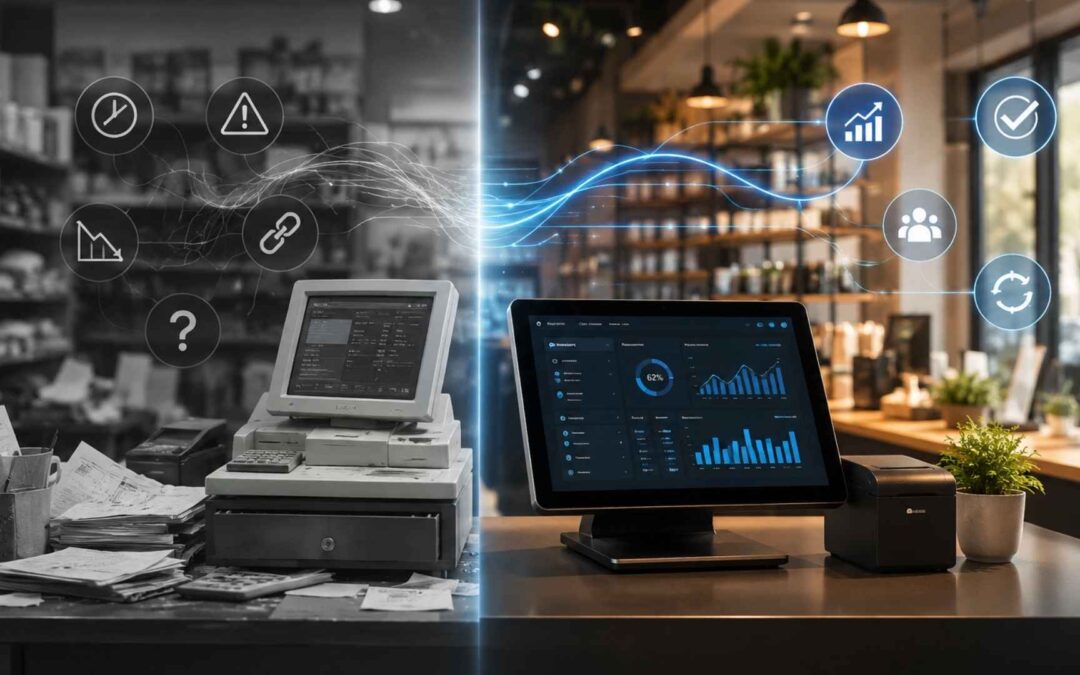
The Hidden Tax Most Business Owners Never Calculate
Most business owners evaluate their point of sale system the same way they evaluate a utility bill. They look at the monthly fee, decide the number feels reasonable, and move on.
That calculation misses the most significant costs of running an outdated POS system, and those costs compound every month.
Over the past year, TechPOS has worked with retail and restaurant operators across Canada. The pattern is consistent: operators who underinvest in their POS infrastructure are paying a hidden operational tax that is much larger than their monthly software fee.
Five Hidden Costs of an Outdated POS System
Cost One: Staff Time Spent on Manual Workarounds
When a POS system lacks automation, staff compensate manually. End-of-day reconciliation takes longer, inventory counts happen on paper, and reporting requires manual exports.
Cost Two: Inventory Errors and Preventable Stockouts
Retail operators running outdated inventory systems regularly experience stockouts and inaccurate inventory visibility.
Cost Three: Disconnected Reporting and Missed Decisions
An outdated POS system creates decisions based on stale or incomplete information.
Cost Four: Manual Integration Overhead
Many legacy POS systems require manual exports for accounting, payroll, and inventory tools.
Cost Five: Lost Revenue from Missed Upsell Opportunities
A POS system that surfaces recommendations, loyalty prompts, and bundle pricing can increase average transaction value.
How to Calculate Your True Cost of Status Quo
Use this framework to calculate what your current POS system is costing you annually.
| Cost Category | How to Measure | Formula |
|---|---|---|
| Staff workaround time | Track manual POS tasks per shift | Hours/week × hourly rate × 52 weeks |
| Inventory stockout loss | Estimate unexpected out-of-stock items | Annual revenue × estimated loss |
| Integration overhead | Track export and re-entry time | Hours/week × hourly rate × 52 weeks |
| Missed upsell revenue | Compare transaction value benchmarks | Transactions × missed revenue amount |
Add the four results together. For most multi-location operators running on legacy POS infrastructure, the total falls between $40,000 and $120,000 annually. That number is the real cost of “good enough.”
What Modern POS Infrastructure Looks Like in 2025
Modern POS infrastructure is defined by what no longer requires human intervention.
- Real-time inventory: Inventory updates instantly across all channels and locations.
- Automated reporting: Revenue and operational metrics are available without manual exports.
- Native integrations: Accounting, payroll, loyalty, and online ordering work together seamlessly.
The gap between what legacy POS systems provide and what modern infrastructure delivers is widening. Operators who close that gap now are building a compounding operational advantage. Operators who wait are extending the period in which they pay the hidden tax described above.
The Transition Is Not as Disruptive as Most Operators Expect
The most common objection TechPOS hears during assessments is: “We can’t afford the disruption of switching right now.” The irony is that most operators are experiencing daily disruption from their current system. They have just categorized it as normal. A well-managed POS migration for a single-location operator takes 5 to 10 business days with no downtime during trading hours.
Frequently Asked Questions: Evaluating a POS Switch
How long does switching to a new POS system typically take?
For a single-location retail operator, a full POS migration with TechPOS takes 5 to 10 business days from signed agreement to live operations. This includes hardware setup, data migration from your previous system, staff training, and a go-live support period. Multi-location operators typically complete migrations on a rolling location-by-location schedule over 3 to 6 weeks, depending on the number of sites and complexity of the existing setup.
Will I lose my historical sales data when I switch?
No. TechPOS migrates historical transaction data, product catalogs, customer records, and loyalty balances from most major legacy systems. The migration team validates data accuracy before go-live. In cases where a legacy system does not support a standard data export, TechPOS provides a manual import process at no additional cost.
What happens to my operations during the switch?
Migrations are scheduled outside peak business hours wherever possible. TechPOS runs parallel systems during the transition period so that operations continue on the existing system until the new one is confirmed live and stable. On go-live day, a TechPOS support specialist is available on-site or by phone for the full trading day.
Does TechPOS work with my existing hardware?
TechPOS is compatible with most standard retail and restaurant hardware including touch-screen terminals, receipt printers, barcode scanners, cash drawers, and card readers. Hardware compatibility is confirmed during the pre-sales assessment. In cases where legacy hardware is not compatible, TechPOS provides hardware options at cost.
What does a “free audit” actually include?
A TechPOS audit is a structured assessment of your current POS setup, operational workflows, integration stack, and reporting gaps. It produces a cost-of-status-quo calculation specific to your business and a readiness report. There is no pitch and no obligation. Most assessments take 45 to 60 minutes and are delivered remotely.
Get a Free Audit of Your Current POS Setup
If any of the five cost categories in this article felt familiar, the number is worth calculating. TechPOS offers a free, no-obligation audit for retail and restaurant operators who want to understand what their current POS system is actually costing them.
The audit takes less than an hour. It produces a specific dollar figure, not a range, for your operation. And it gives you a clear picture of what a modern POS infrastructure would look like for your business before you decide anything.
Implementation and Onboarding Questions
How long does a TechPOS implementation take?
Single-location implementations typically take 5 to 10 business days from agreement to live operations. Multi-location rollouts are scheduled on a rolling location-by-location basis, typically 3 to 6 weeks for operators with 3 to 5 locations.
Do we need to shut down during migration?
No. Migrations are scheduled outside peak trading hours. TechPOS runs parallel systems during the transition period so operations continue uninterrupted until the new system is confirmed stable.
What training does TechPOS provide?
TechPOS provides on-site training for management staff, remote training sessions for front-line staff, and video training materials for ongoing onboarding of new employees. A designated support specialist is available for the first 30 days post-go-live.
Will our historical data transfer?
Yes. TechPOS migrates transaction history, product catalogs, customer records, and loyalty balances from most major legacy systems. Data accuracy is validated before go-live.
Pricing & ROI FAQ
How is TechPOS priced?
TechPOS pricing is based on the number of locations and the specific modules required. A detailed pricing proposal is provided after a needs assessment call. Most operators find that the total cost of ownership (subscription fee plus elimination of integration and workaround costs) is lower than their current POS combined with its operational overhead.
Is there a free trial?
TechPOS offers a structured assessment and demonstration period rather than an open-ended free trial. This gives operators a realistic picture of the system in the context of their specific workflows rather than a generic demo environment. Contact TechPOS to schedule an assessment.
What is included in a free audit?
A TechPOS free audit assesses your current POS configuration, operational workflows, integration stack, and reporting gaps. It produces a cost-of-status-quo calculation and a readiness report. There is no pitch and no obligation. Most audits take 45 to 60 minutes delivered remotely.
Integrations and Compatibility Questions
What accounting software does TechPOS integrate with?
TechPOS integrates natively with QuickBooks, Xero, and Sage. Data flows automatically without manual exports, CSV transfers, or third-party middleware. Additional accounting integrations are available on request.
Does TechPOS integrate with my existing payroll platform?
TechPOS integrates with major Canadian payroll platforms including ADP, Ceridian, and Payworks. Payroll data flows from time-tracking and shift records in TechPOS directly to payroll, eliminating manual entry.
What payment processors does TechPOS support?
TechPOS supports all major Canadian payment processors and acquirers. Hardware compatibility is assessed during onboarding. Operators may continue with their existing payment processor in most cases.
Does TechPOS connect to my online store?
Yes. TechPOS integrates with Shopify, WooCommerce, and major online ordering platforms. Inventory syncs in real time between the POS and the online store, eliminating the manual update step that creates oversell errors.