
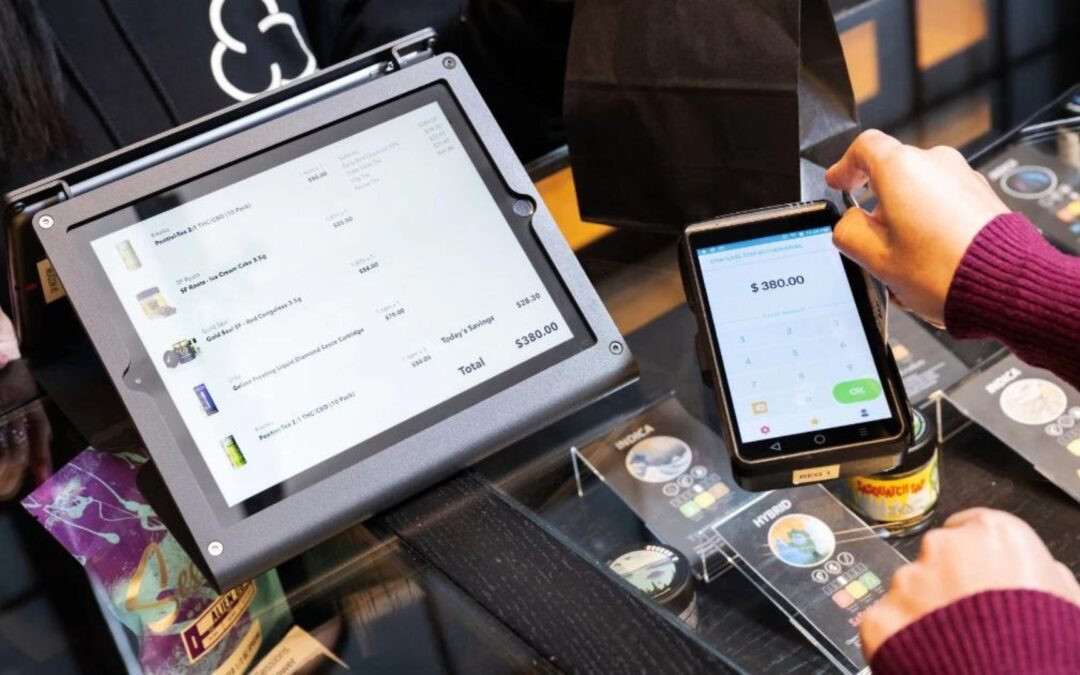
Cannabis dispensaries that struggle to grow revenue per customer often overlook a simple opportunity: increasing the average basket size. TechPOS gives dispensary owners practical tools to raise basket value both in-store and online, from a dual-sided POS screen with a customer-facing menu to eCommerce incentive strategies.
Offering a curated category of products gives customers freedom of choice, while pushing a single product can signal to shoppers that the item is slow-moving or undesirable.
This guide covers how dispensaries can maximize average basket value using the TechPOS platform, with actionable tips for both in-store and online checkout.
What Is Average Basket Size in Cannabis Retail?
In retail (including cannabis retail), basket size is your customer’s total purchase. You can measure basket size by the number of items but it is more commonly defined by total dollar value. Tracking both metrics reveals where pricing friction occurs and how dispensaries can address it to lift per-visit revenue.
Basket size across the four major Canadian provinces tends to hover just north or south of $40 in value. Increasing average basket value generates more revenue per customer visit and raises total store revenue. Developing incentives for both your budtenders to sell more and your customers to buy more can help increase basket size and value.
Dispensaries that use cannabis analytics software to monitor basket trends can identify which product combinations drive the highest per-visit revenue.
How to Increase Basket Size In-Store at a Dispensary
Cannabis consumers shop in-store for the one-on-one service they get from their budtender, making a well-configured cannabis point-of-sale system built for dispensaries essential to every transaction. You can increase in-store basket size by:
- Ensuring your staff are well-informed and communicative
- Staffing your store(s) adequately to allow time to talk with each customer
- Stocking a robust selection of products
- Avoiding out-of-stock situations
A cannabis POS system with real-time inventory management prevents out-of-stock situations that reduce basket size and frustrate shoppers.
Budtender Incentives That Drive Larger Sales
Or, you can incentivize budtenders to make or exceed average basket sales by holding competitions or offering an end-of-week or end-of-month bonus tied to their personal average for basket size. You can incentivize customers to spend more on each visit by offering a free sample (in accordance with local provincial law) with a minimum purchase.
How to Increase Basket Size on Your Cannabis eCommerce Store
Cannabis consumers shop online for convenience, and a robust cannabis eCommerce solution for dispensaries makes it easier to showcase products and lift order value. Plus, they also look for potential sales and discounts that may not be well-publicized in-store. You can increase online basket size by:
- Ensuring your online store is easily navigable
- Showcasing new products on the home page
- Organizing products by category type (flower, edible, topical)
- Creating unique mood product profiles (relaxation, sleep, appetite)
Online Incentives That Increase eCommerce Order Value
You can incentivize online customers to increase the value of their basket by offering free shipping with a minimum purchase, but make sure to set this minimum high enough to defray the cost of the shipping involved.
How TechPOS Helps Dispensaries Increase Basket Value
The TechPOS Customer-Facing Menu Screen
TechPOS delivers a suite of dispensary tools designed to increase average basket value at every customer touchpoint. Our point-of-sale screen is two-sided, with the main screen facing the budtender. Many retailers choose to show a mirror image of the budtender’s screen or a store logo on the secondary, customer-facing screen.
TechPOS’s latest innovation is a fully customizable product menu displayed on the customer-facing POS screen. This screen is fully customizable and easily changed in your POS system. You can use this screen to:
- Choose specific curated items to display
- Select a category to display products from
- Highlight new products only
- List “staff picks” for higher budtender engagement
- Showcase “popular flowers” to pique interest
Because the menu is image-based with minimal text, the customer-facing screen functions like dispensary digital signage displays in miniature, visible to shoppers at the point of sale. They can see the product, its specs, and current pricing clearly displayed in the visual grid.
Real-Time Inventory Sync at the Point of Sale
Your customer can select from the screen and add to their basket during in-person checkout prior to making their payment. Then, the system automatically removes items as you sell out, in real-time, as inventory updates with each transaction.
Use Analytics Reports to Refine Basket-Building Strategy
Combining the customer-facing menu options screen with TechPOS TechPOS cannabis analytics and business reports can help you gain deeper insights into customer purchasing habits. You can use this data to inform future marketing efforts and identify which products belong on your cannabis dispensary’s smart printed menu.
For example, tracking which products perform well on this customer-facing menu screen can help you learn about expanded customer preferences. For example, if customers who regularly purchase one product begin adding a second product when prompted, dispensaries can bundle those two products as an in-store promotion or target them as cross-sells on the cannabis eCommerce store.
Ready to increase the value of every sale? connect with the TechPOS dispensary team to learn more about our innovative POS customer-facing menu screen option today.